Set up your month
Enter your take-home pay, regular bills and savings allocation.

A local-first budget app for India
Set aside your bills and savings, then see how much you can spend each day for the rest of the month.
Your budget stays on your device.
No account or automatic cloud sync.
No login. No ads, ever.
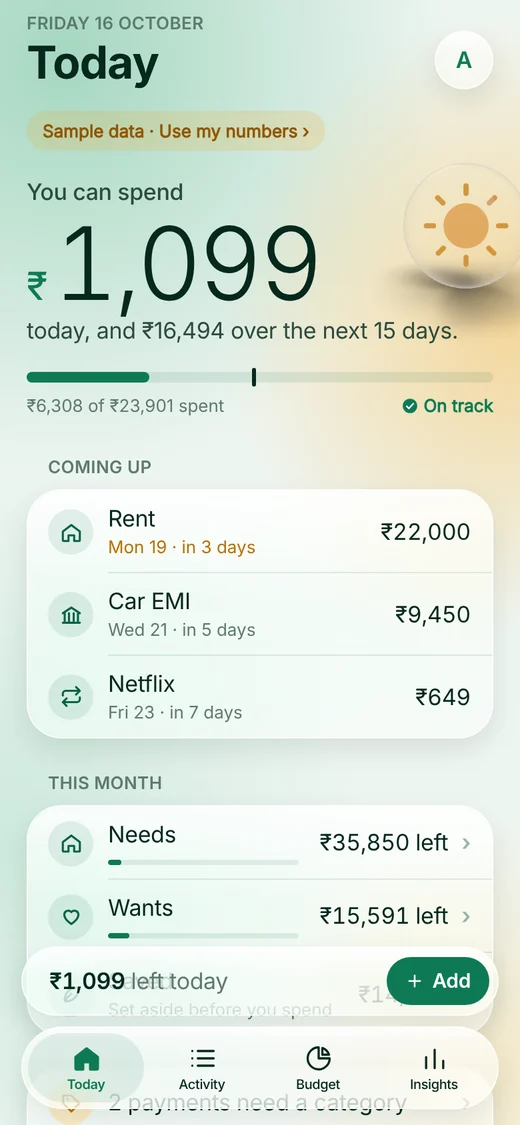

Browser preview with sample data
How it works
Start with your monthly income. Rozly subtracts your commitments and spreads what's left across the remaining days.
Enter your take-home pay, regular bills and savings allocation.
See the amount available for daily spending after bills and savings have been accounted for.
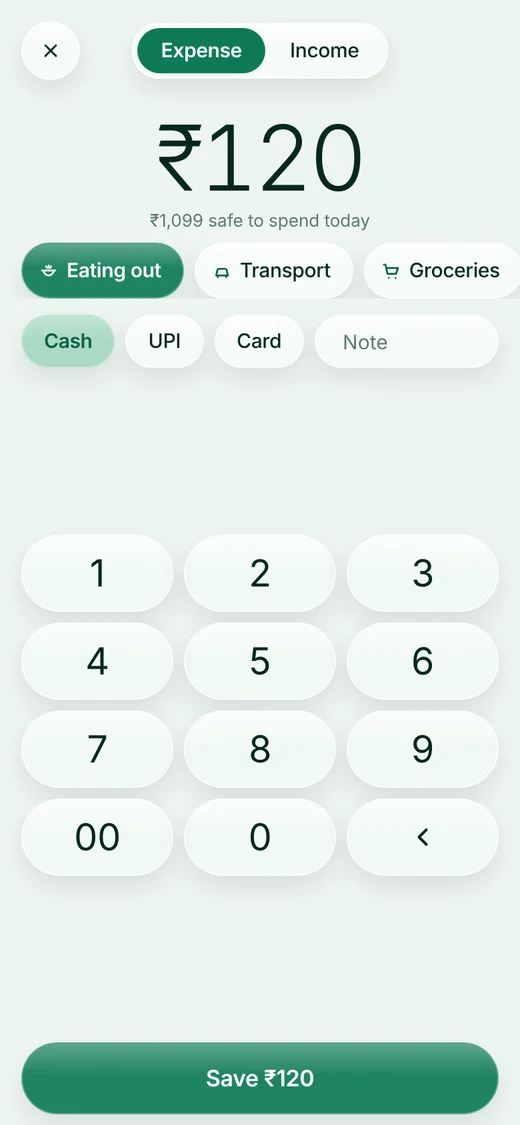
Add payments as you go. Your daily allowance adjusts, and the calendar shows your spending by day.
Add an amount, a category and a note. On Android, optional capture can import financial SMS and supported payment alerts.
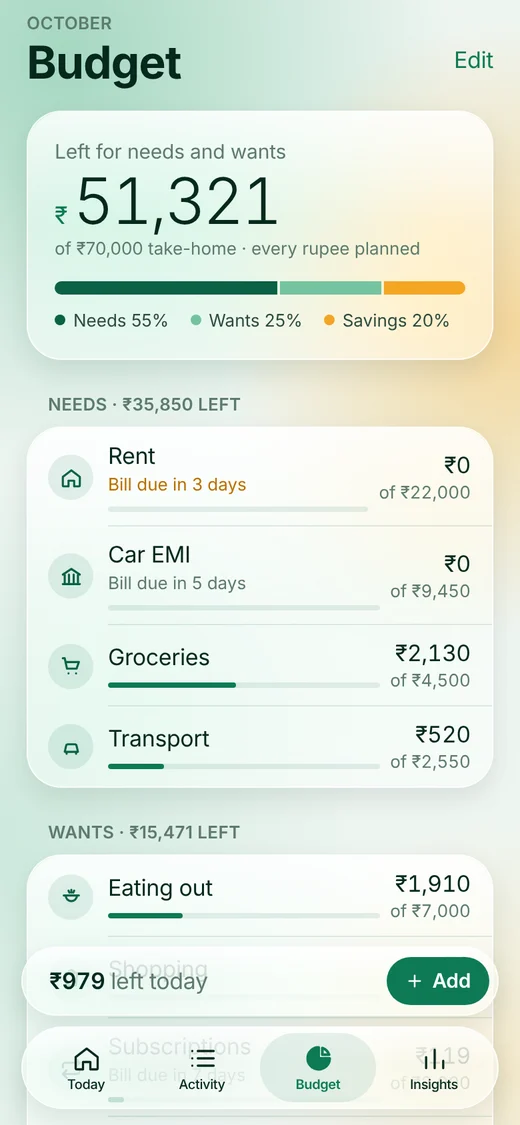
See what's left in each category. Adjust your plan and track savings goals from the same screen.
Your data
Rozly has no financial-data backend. Your income, bills and payments are stored locally.
Read the privacy policyYour ledger and calculations stay on this device. There is no automatic cloud sync.
No advertising, tracking SDKs or loan offers.
Use the app without a login, email address or bank password.
Export a CSV when you need it. Importing that file into Sheets, Notion or another service may upload it under that service's policies.
Browser demo
Choose "Try it with sample data" on the welcome screen. Add a payment, change a category or check the calendar.
Open the demoSaved only in this browser. Not synced to your phone.
SMS, voice and reminders need the installed mobile app.
Your bills and savings are already set aside.
Before you start
Found a bug or have an idea?
Feature request or issueGitHub issues are public. Don't post financial data, SMS, or screenshots with personal details. A GitHub account is needed to post, not to use Rozly.
For private questions, email Shashank.
Rozly does not send your income, payments, SMS or audio to a financial-data server. The installed app stores your ledger on your phone; the demo uses this browser's local storage. Exporting or sharing a file is always your choice. iOS system backups and destination apps have their own policies.
No. Bank linking is not active, and we never ask for bank credentials. Manual entry works without permissions. On Android, you can separately opt in to financial SMS import and supported UPI payment-notification capture. Always review imported entries.
The installed app's budgeting and manual entry work offline. Supported Android voice recognition is on-device only, with no online fallback. The browser demo needs internet to load; it doesn't upload your budget or sync it to other devices.
There is no Rozly account or cloud restore. Export your transactions before switching devices; CSV is a transaction record, not a full restorable backup. Browser data can be cleared by your browser. Erasing app data removes your local ledger, reminders and cached exports.
It's an early beta, distributed as an APK rather than a Play Store release. Core shared workflows have been tested in an iOS simulator. Android-only SMS capture, payment alerts and offline voice still need real-device testing. Keep your own records and check the numbers.
The iOS app is in development and is not available on the App Store yet. You can explore the browser demo on your iPhone right now. SMS and payment-notification capture are Android-only.
Early access
Install the APK, or try the browser demo first. Neither requires an account.
Version 1.0.0 · Direct APK download from Expo · Not a Play Store release
Enable JavaScript to view APK download requests.
Cumulative requests since 16 October 2026. Includes repeat requests, not confirmed downloads or installs. Earlier downloads are not included.
This is preview software. Screens on this site show the current browser demo; the Android beta interface may differ. Android-specific capture and voice features are still being tested. Android may ask you to allow installation from your browser; enable this only if you trust the download, then turn that permission off again. Never bypass a malware warning. Export important records and review imported payments.
SHA-256 checksum of this APK:
31555c391fb0e7b2e5aedc30dfc50605432bb86ca0c7bae0d455f821a8d493bf